

BetJam login: Sign-In to your account
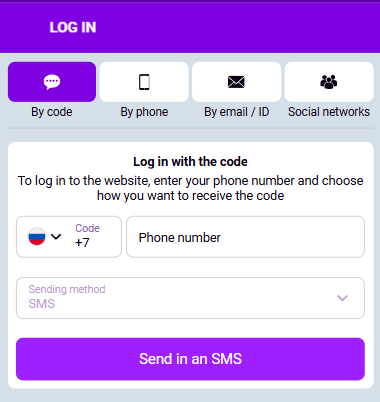
BetJam operates under Curaçao Gaming Control Board license OGL/2024/832/042 (operator BETQUEST B.V., registration #164560). Logging in connects you to the same sportsbook and casino wallet used for M-Pesa and Airtel Money deposits in KES—no separate BetJam casino login profile is required.
Use the official site or the BetJam app only. Phishing pages often copy login forms; confirm the domain and TLS padlock before trusting password fields.
⚠️ 18+ Responsible Gambling: Betting and casino games are for adults 18+ only. Set deposit and session limits before play. Use cooling-off and self-exclusion if needed.
What “BetJam Login” Covers on One Account
A single BetJam sign in unlocks:
| Area | What you access after login |
|---|---|
| Sportsbook | Pre-match and live markets on 1,000+ daily events; shared KES balance |
| Casino | Slots, live dealer, crash games; same wallet as sports |
| Cashier | Deposits and withdrawals via M-Pesa, Airtel Money, cards, crypto (where offered) |
| Bonuses & promos | Eligibility tied to one account—not parallel “casino-only” credentials |
Parent topic account must exist before login; new users complete registration first.
Step-by-Step: Web BetJam Account Login
- Open the official BetJam homepage in a current browser (Chrome, Safari, Edge).
- Select Log In (typically top-right).
- Enter email, Kenyan phone number (+254…), or username—whichever you registered with.
- Enter your password (case-sensitive).
- If 2FA is enabled, submit the 6-digit code from SMS or your authenticator app.
- On success, you land on the dashboard; incomplete KYC may still block withdrawals until documents are approved.
Sessions use TLS 1.3 in transit; combine a strong unique password with optional 2FA for account-level hardening.
BetJam App Login: Biometrics and Mobile Sessions
The BetJam app mirrors the desktop wallet. BetJam app login extras on supported devices:
- Face ID / Touch ID (or Android fingerprint): unlock without retyping the password on a trusted device.
- “Remember me” on a personal phone—avoid on shared or borrowed handsets.
- App updates: failed logins after an OS upgrade often clear after updating the app and restarting the device.
Cross-device sync: balances, open bets, and bonus state follow the account—not the device.
When Login Is the Wrong Next Step
Skip straight to login troubleshooting if you already have an account. Otherwise:
- No account yet → Registration first; login fields will not activate a new profile.
- Wrong jurisdiction expectations → BetJam is Curaçao-licensed, not BCLB-local; compliance and dispute paths differ from Kenya-only licensed brands.
- Expecting separate casino credentials → one login only; if a site asks for a “second casino password,” treat it as suspicious.
BetJam Login Problems: Diagnostic Flow
Work top-down; most issues sit in credentials, rate limits, or environment—not “server down.”
Symptom → Likely cause → Action
| Symptom | Likely cause | Action |
|---|---|---|
| “Invalid credentials” | Typo, wrong identifier (email vs phone), Caps Lock | Retry carefully; reset password via Forgot password |
| Code prompt after password | 2FA on | Open authenticator or request SMS; check clock sync on TOTP apps |
| “Account locked” / repeated failures | Brute-force protection | Wait 15–30 minutes; then reset password or contact support with ID ready |
| Spinner / timeout | Network, DNS, VPN | Switch Wi-Fi ↔ mobile data; disable flaky VPN; try another browser |
| OK on web, fails in app | Stale cache, old build | Clear app cache or reinstall; confirm latest version |
| Login works, withdrawal blocked | KYC / AML pending | Upload national ID or passport; finish phone verification |
Forgot password
Use Forgot Password on the form. Reset via email link or SMS to the registered contact. After reset, revoke old sessions where the product offers “log out everywhere” or rotate 2FA if you suspect exposure.
Account security after suspected phishing
If you entered the password on a non-official page, change the password immediately on the real site, enable 2FA if available, and alert support with timestamps. Monitor KES movements in the cashier.
Login and Compliance: Why Verification Matters
Kenyan-facing operators apply AML and age checks. Heavy BetJam login activity from new devices can trigger step-up verification (email/SMS or document checks). This is distinct from a “broken password”: it is risk scoring, not a product bug.
Unverified or restricted accounts may see the lobby but hit blocks on withdrawals or large deposits until KYC clears—see registration requirements for timelines.
Platform Login Snapshot (Kenya)
| Topic | Detail |
|---|---|
| Identifiers | Email, +254 phone, username |
| Security | TLS 1.3; optional 2FA |
| App | Biometric login where supported |
| Currency | KES wallet; methods include M-Pesa, Airtel Money |
| Unified access | Sports + casino under one login |
| Support | 24/7 live chat, [email protected] |
Frequently Asked Questions
Yes, for sessions on the real site or official app: traffic is encrypted (TLS 1.3). Security also depends on your device hygiene—avoid public Wi-Fi for banking and betting where possible, and enable 2FA.
Yes, if that number was used at registration—+254 format is standard.
No. One account covers sports and casino; wallet and bonuses are shared.
Anti-automation and anti-fraud rules temporarily lock the account after repeated failures. Wait or reset password; contact support if the lock persists beyond the stated window.
Usually carrier DNS, firewall, or IPv6 quirks. Try toggling airplane mode, switching networks, or disabling VPN/DNS filters.